




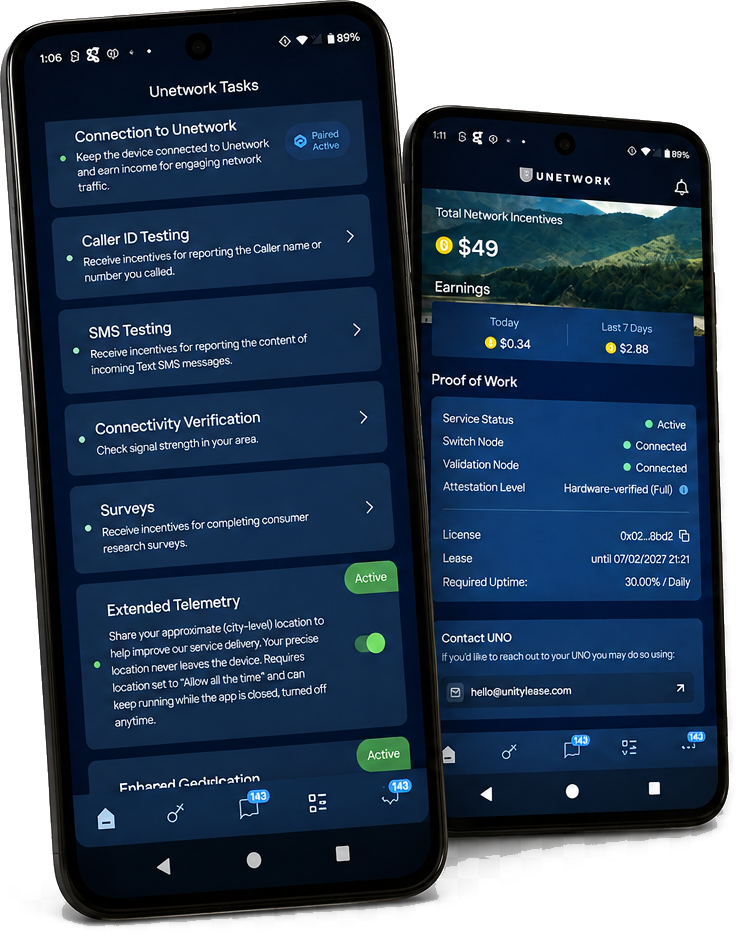
Earn Passive Income With Your Smartphone
Run the Unity app in the background and earn passive rewards every month.
POWERED BY WORLD MOBILE AND MINUTES NETWORK
Start Earning in Minutes
Works on Wi-FI or Mobile Data - Withdraw rewards anytime after $5 - Safe, Private & Secure
ANDROID USERS
① Download the Unity App
🤖 Download for Android click here
② Open your Unetwork App and choose “LICENSE OPERATOR”
③ SIGN IN WITH YOUR EMAIL
Enter your email address:
Click “Continue”
Click “Verify you are human”
Check your email for the One-Time Code and past it into the field
Click “Verify”
④ Click BIND A LICENSE
Click Manage Licenses
⑤ Generate a Lease code below.
⑥ Under “Access your leased License” Paste your Lease Code from the code generator.
Click “Continue”
Click “Verify you are human”
You should show 3 green dots and “Connected.”
If you have more than one device you can connect them all with the same email, but each device must have its own lease code.
⑦Keep Unity Running in the Background 90% or higher
Withdraw rewards after earning $5 USD
Next: Maximize Your Earnings
① Turn on Caller ID Testing and Entropy to earn additional rewards.
Most users can receive 1 verification call per day. No conversation is required. You will be rewarded 4-10 cents per call verification.
Enable Caller ID Testing
1- Enable by clicking the three dots (...) on the bottom of the app.
2- Click “Untetwork Tasks”
3- Click “Caller ID Testing”
4- Read and “Accept”
5- Verify your number”
Enable Entropy Task
1- Enable by clicking the three dots (...) on the bottom of the app.
2- Click “Untetwork Tasks”
3- Click “Entropy Contribution”
4-Toggle the button to “Active”
② The Unity app should remain running in the background 90% or more of the time to maximize passive rewards.
The estimated $4–$6/month per device assumes high uptime. Running the app only part of the day can result in much lower rewards, as passive earnings are not calculated on a simple hourly basis.
③ Scale Up Your Earnings
The more active devices you connect, the greater your estimated monthly passive earnings.
1 device: approximately $4–$6/month
5 devices: approximately $20–$30/month
iOS USERS
① Download the Unity App
📱 Download for iPhone click here
② Open your Unetwork App and choose “Get Started”
③ Choose “License Operator”
④Download a lease code below from the lease generator.
⑤ Enter your lease code in the lease code field,
Click “Continue”
⑥ Click “Sign in with Email”
Enter your Email and click “Continue”
Enter your code sent to your email into the “One-Time Code field and click “VERIFY”
CONGRATULATIONS and
Click Continue
You should show 3 green dots and “Connected.”
If you have more than one device you can connect them all with the same email, but each device must have its own lease code.
⑦ Keep Unity Running in the Background 90% or higher
Next: Maximize Your Earnings
① Turn on Caller ID Testing and other opt-in jobs to earn additional rewards.
Most users can receive 1 verification call per day. No conversation is required. You will be rewarded 4-10 cents per call verification.
1- Enable by clicking the three dots (...) on the bottom of the app.
2- Click “Caller ID Testing”
3- Read and “Accept”
4- Verify your number”
② Scale Up Your Earnings
The more active devices you connect, the greater your estimated monthly passive earnings.
1 device: approximately $4–$6/month
5 devices: approximately $20–$30/month